Ek-Time: School Timetable Management Tool
Tags:
UX Research | Contextual Inquiry

TL;DR
Ek-Time is a timetable management system built to reduce teacher workload and improve fairness. Through contextual inquiry, we observed how teachers manage timetables, substitutions, and daily frustrations, turning these insights into work models and personas.
The final solution is a standalone system: a web app for coordinators, a mobile app for teachers, and a WhatsApp bot for proxy management. It handles timetable generation and editing, substitution assignment and proxy allocation, while keeping human oversight in the loop.
User testing revealed issues like handling half-days, system visibility, and proxy tab complexity, which are being addressed.
📝 Understanding the problem..
Timetable management in schools is an exhausting, often invisible task. Teachers balance heavy teaching loads, last-minute substitutions, and constant manual updates.
Our main goal was simple, understand how teachers manage their timetables and find small ways to make it easier.
Even a tiny one percent improvement would be a win for us.
⏳ Process
We started with preliminary call interviews across teaching and administrative staff to understand how timetables are created and maintained. The insights were mostly procedural—who creates the timetable, how updates are shared, and the general workflow. Useful, but surface-level. No real breakdowns emerged.
This was expected. Staff are naturally cautious about discussing internal issues with an external interviewer.
So we moved to a second method; Contextual Inquiry.
Why Contextual Inquiry?
Contextual inquiry is a user-centered research method where a researcher observes and interviews a user while they perform their tasks in their natural environment.
Contextual inquiry allowed us to see the real workflow up close. Sitting alongside them during timetable creation and management revealed far more: how stressed they were, how decisions were made, where breakdowns actually occurred, and the informal workarounds they relied on to keep things running.
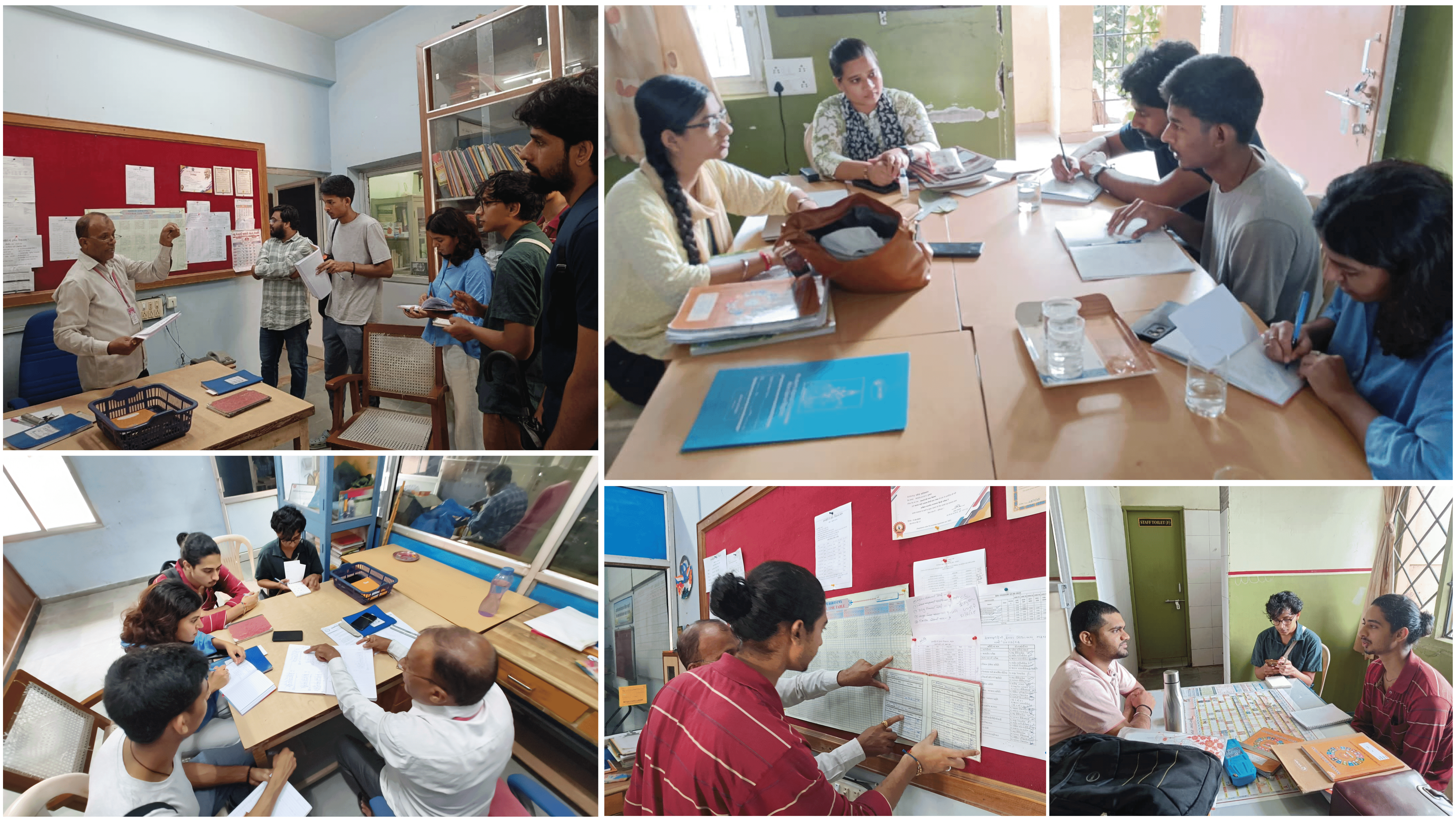
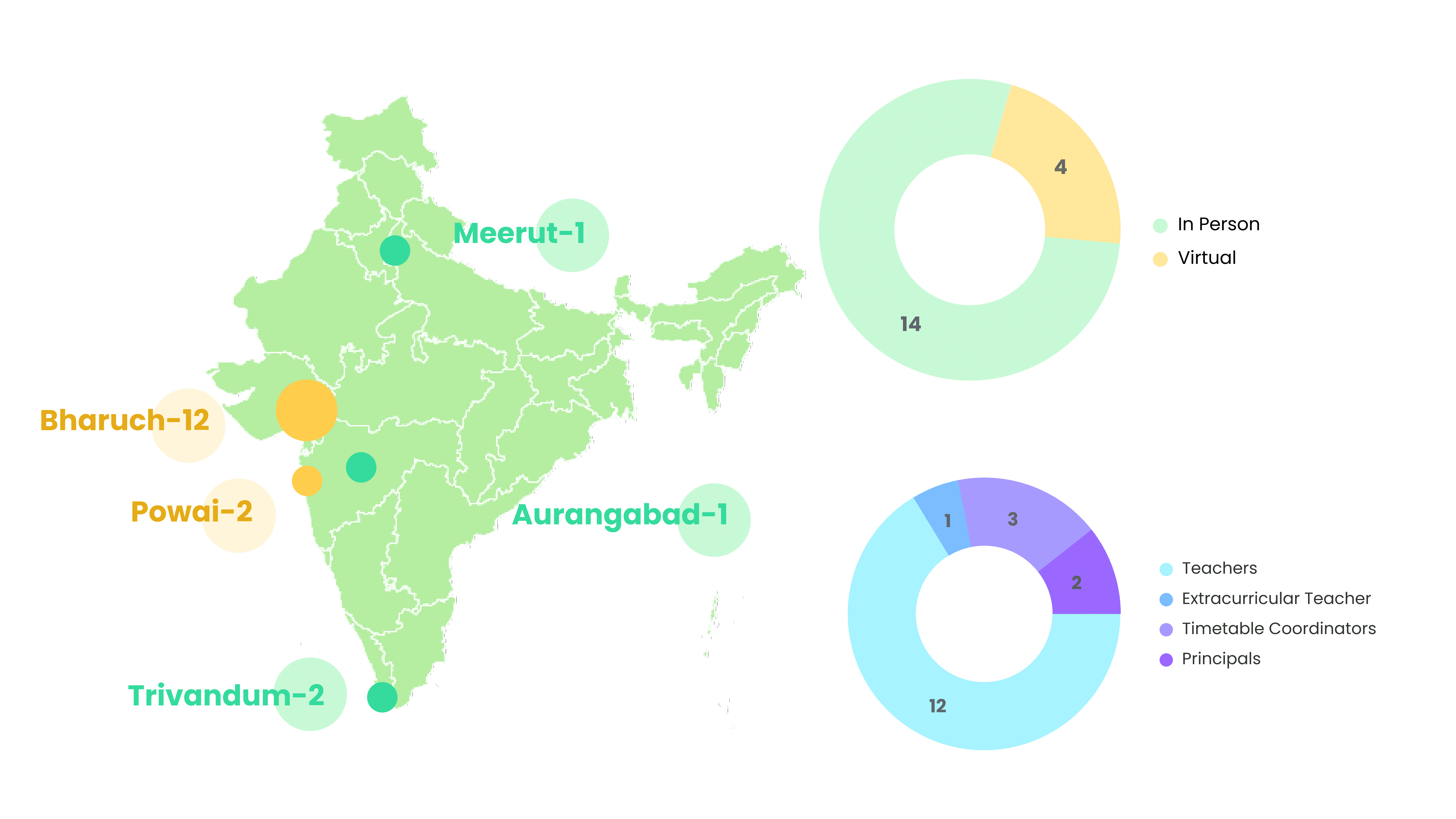
We conducted a total of 14 Contextual Inquiry and 4 Call-based interviews. Among them, 12 were teachers, 3 Time-table coordinators, 2 Principals and 1 Extra-curricular teacher.
The Timetable Coordinator is the teacher or staff member responsible for creating and managing the timetable, handling proxy assignments, and resolving issues related to period allocation. Some schools have a permanent coordinator, while others rotate the role.
We primarily used a Master–Apprentice approach while interviewing, positioning ourselves as newly joined staff learning the process from the teacher. This helped them walk us through their day naturally, revealing how timetable tasks actually unfold.
💻How Work Models helped us
Along with the interviews, we observed the environment and processes to understand how people actually carry out their tasks and uncover hidden connections and pain points.
Flow model:
This shows how information moves between people and tools.
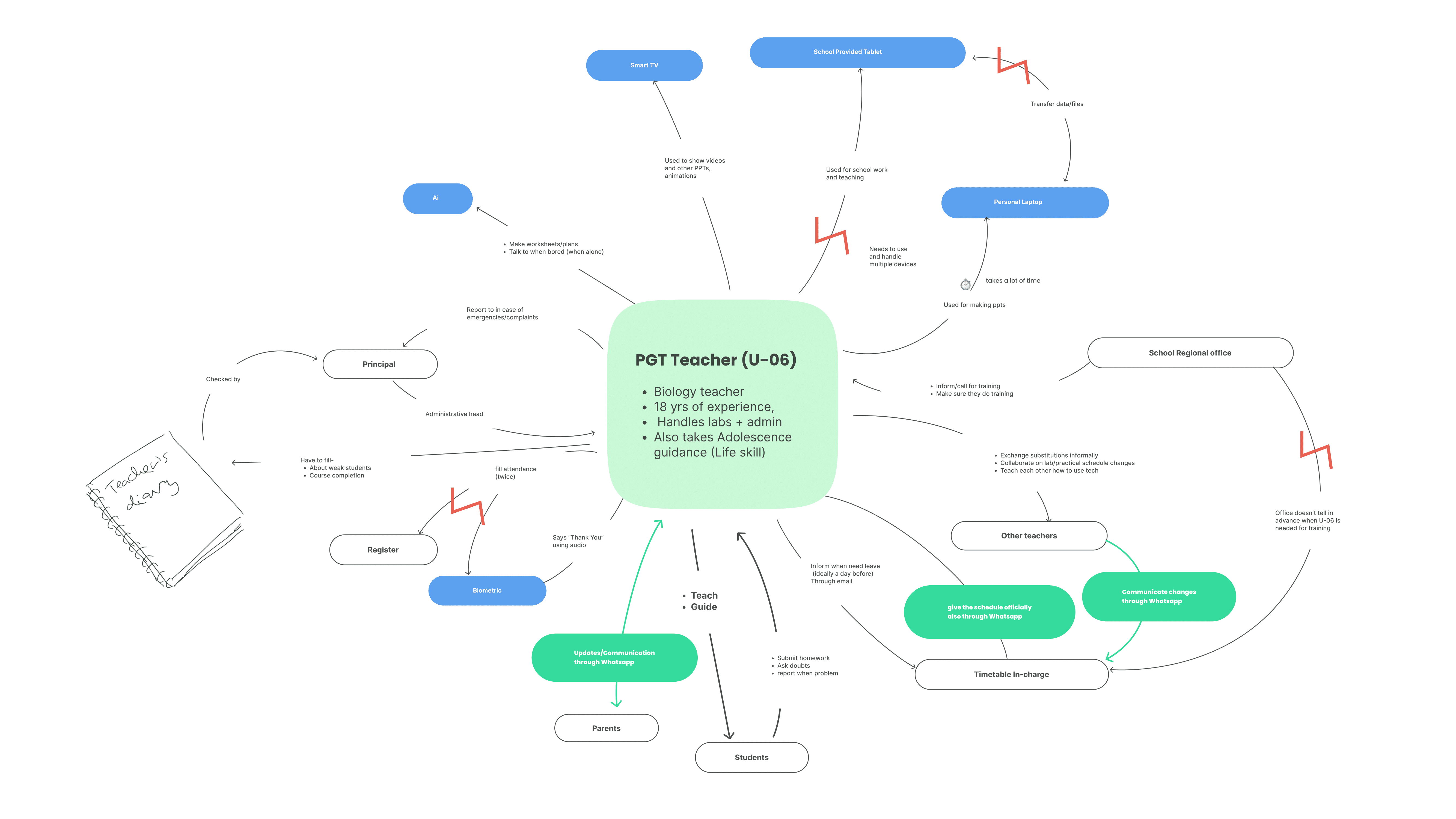
The flow model revealed an excessive number of handoffs and steps in the current process. It also surfaced opportunities; such as leveraging the existing WhatsApp communication channels already used by teachers, administrators, and parents.
Physical Model:
This represents a typical daily logging setup for teachers at one school.
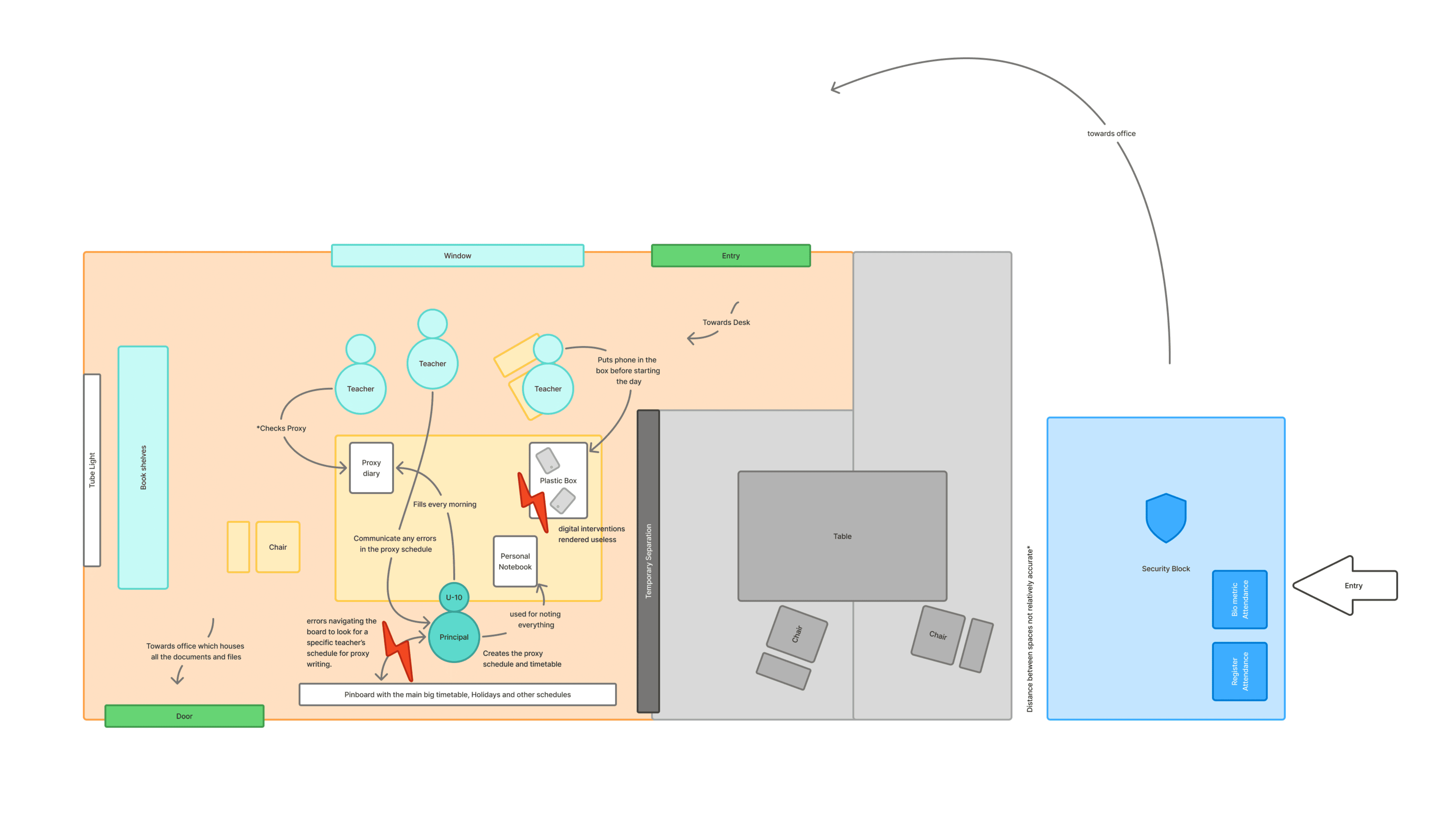
Helped us during our persona development stage later on.
Artefact Model:
This represents a typical week in a particular school. Unlike the small image here, the actual timetable is a massive sheet, about 1 m long, displayed in the principal’s room.
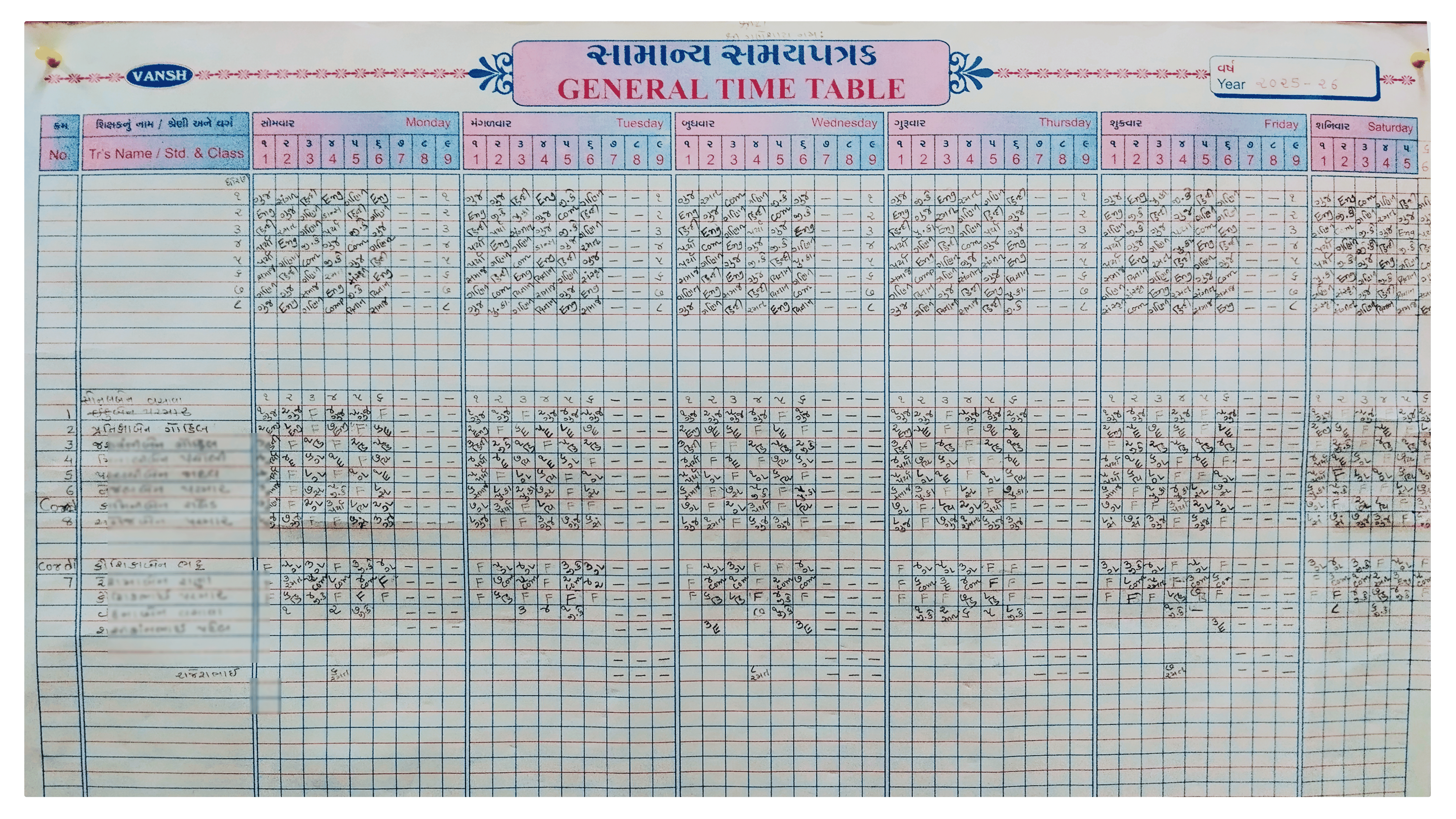
Proxy management happens through this timetable: the timetable in-charge first checks which subject the absent teacher was supposed to take, then looks at the big timetable to see which teacher is free, and fills in the proxy.
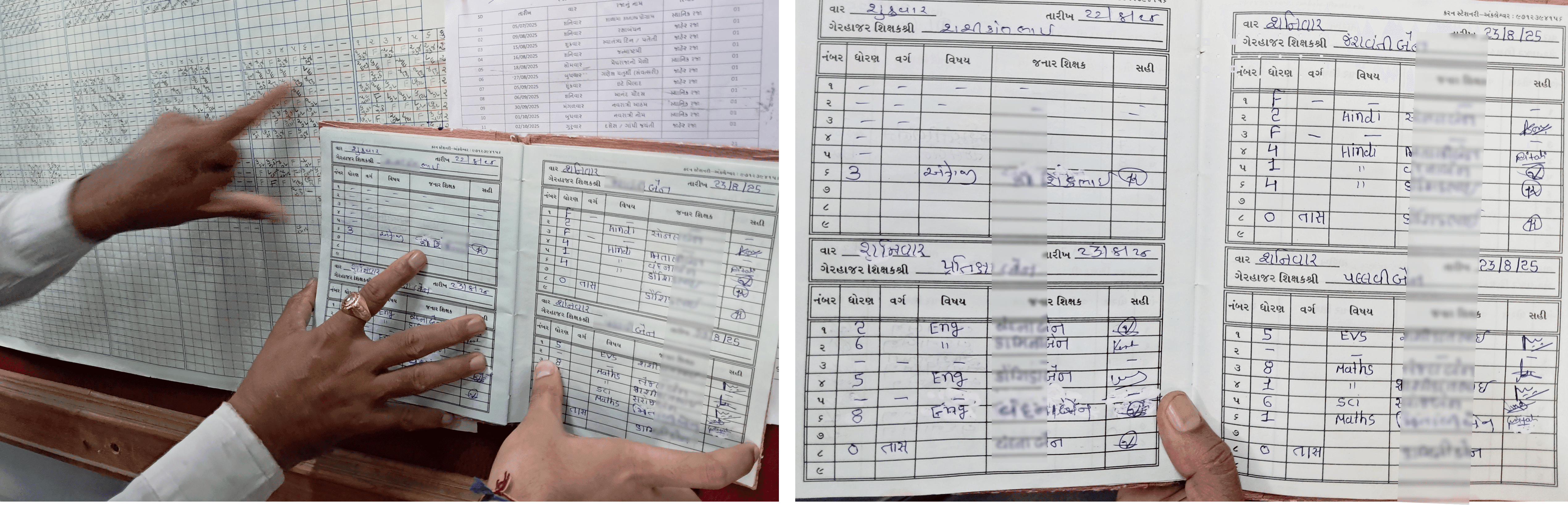
The system kind of ignores the fact that a teacher might have already taken the last three proxies in their previous free periods. 😢
We also collected samples from subject teachers to see how they updated or changed timetables when substitutions came up.
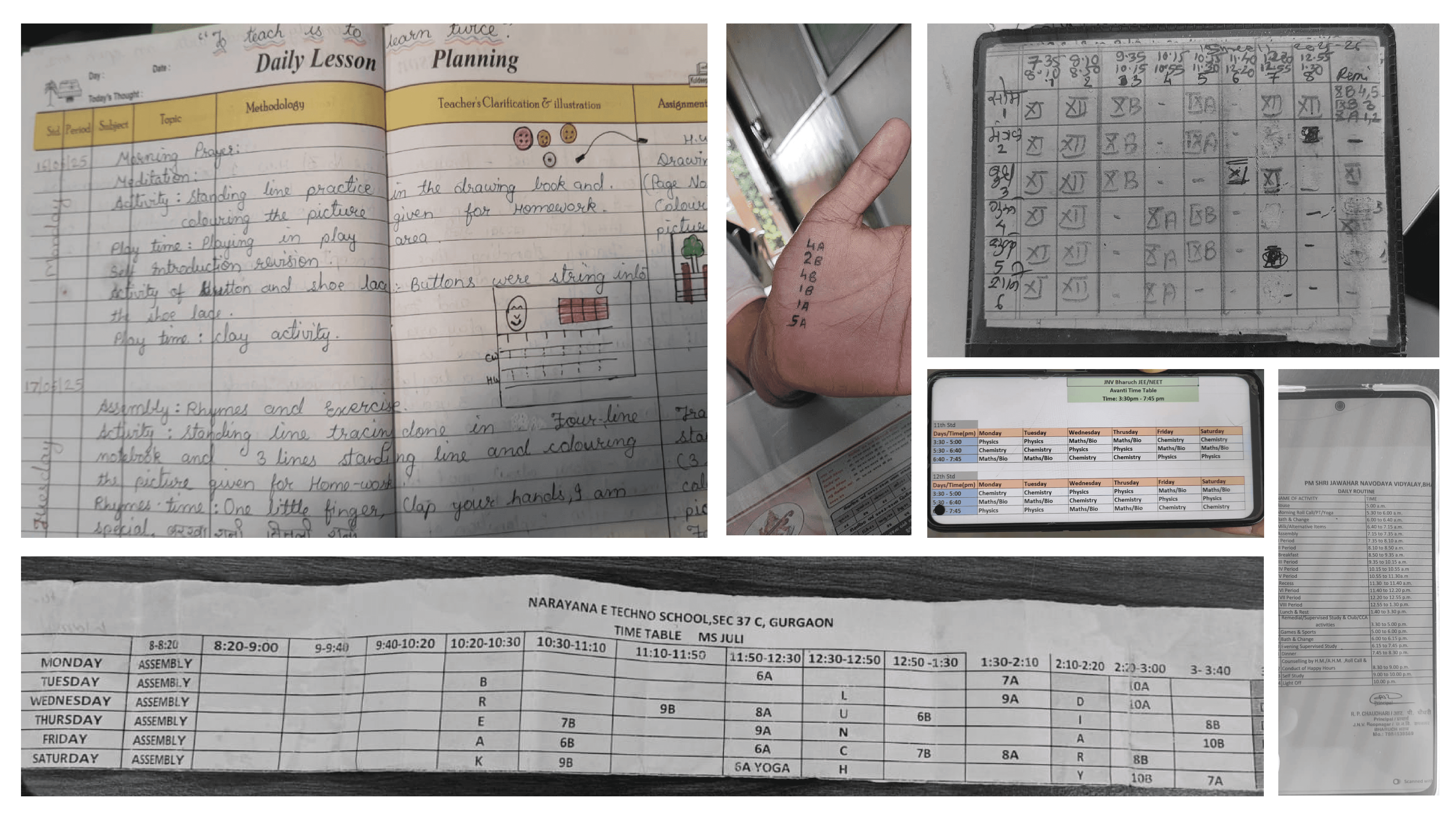
What we found was a mix of creative methods. Some used old-school timetable cards, easy to flip, check, and edit. Some preferred writing it by hand every morning, keeping it just a glance away. Others used Excel sheets. We also noticed the differences varied with the teacher’s age, the subject they taught, and their role; UGT, PGT, and so on.
📐 Interpretation
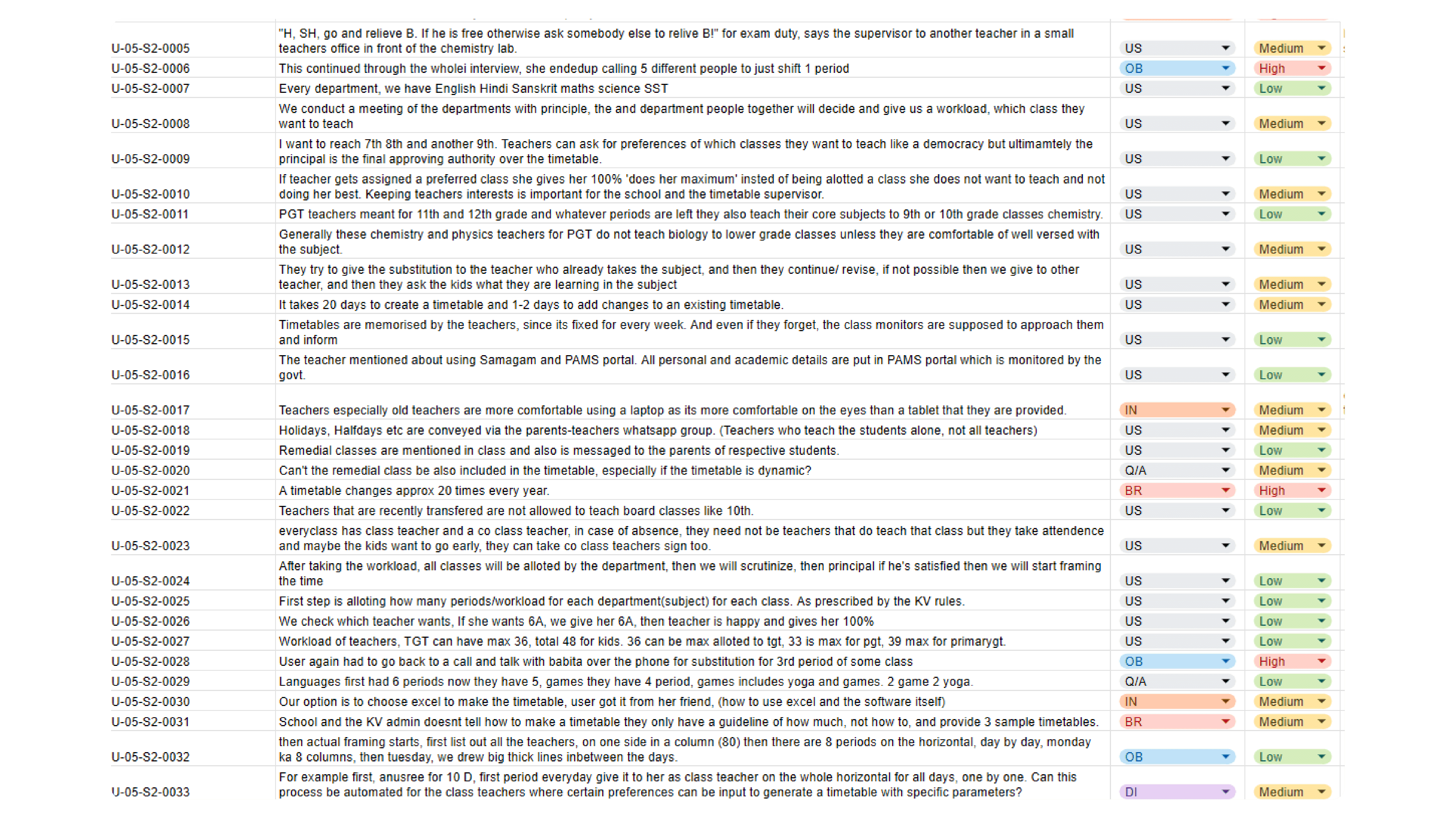
We took all the data we gathered; the things teachers told us, what we observed in their environment, everything, and compiled it into an Excel sheet. Then we worked together to turn this raw data into actionable insights and prioritized them as low, medium, or high.
Below is an example out of the 18 user data points that we interpreted.
🧩 Affinity Mapping
We clustered all our research data based on connections and shared meanings.
The mapping was done using a bottom-up approach: avoided predefined categories and let the patterns emerge naturally.
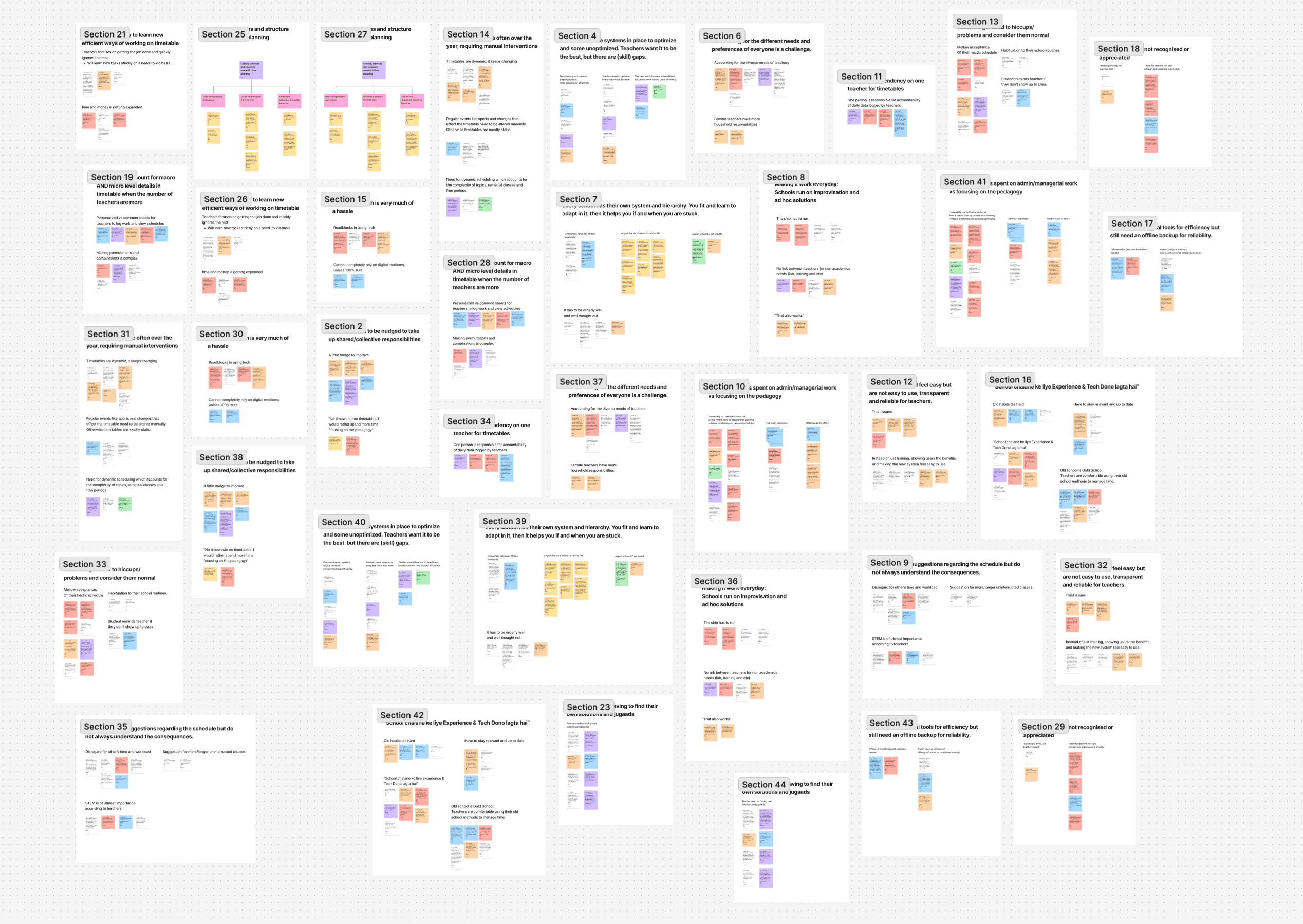
Hard to read? Check out the FigJam file here.
Alright, by this point we had wrapped up the research phase: we gathered data, uncovered key pain points, and identified the connections and meanings between them.
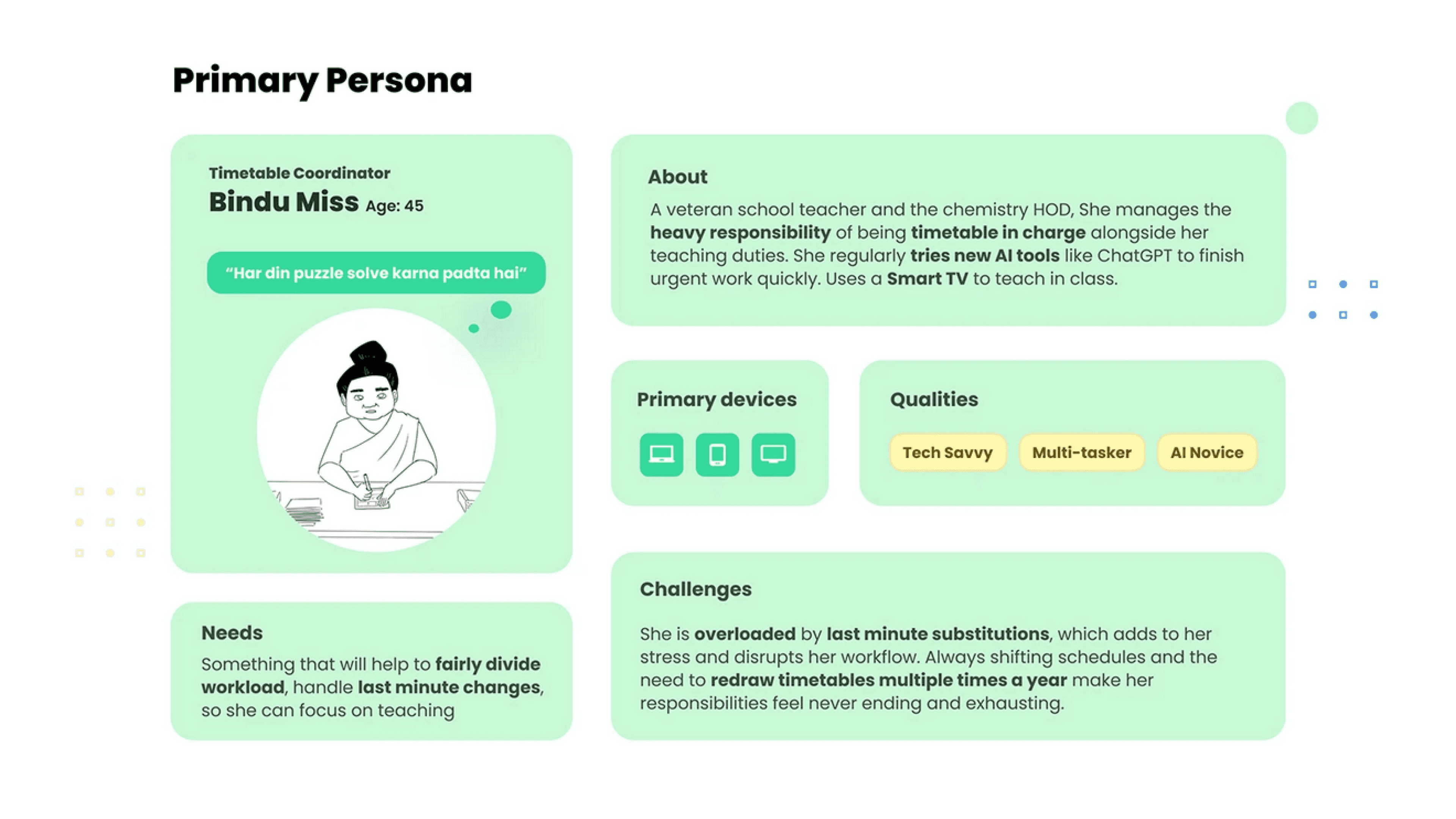
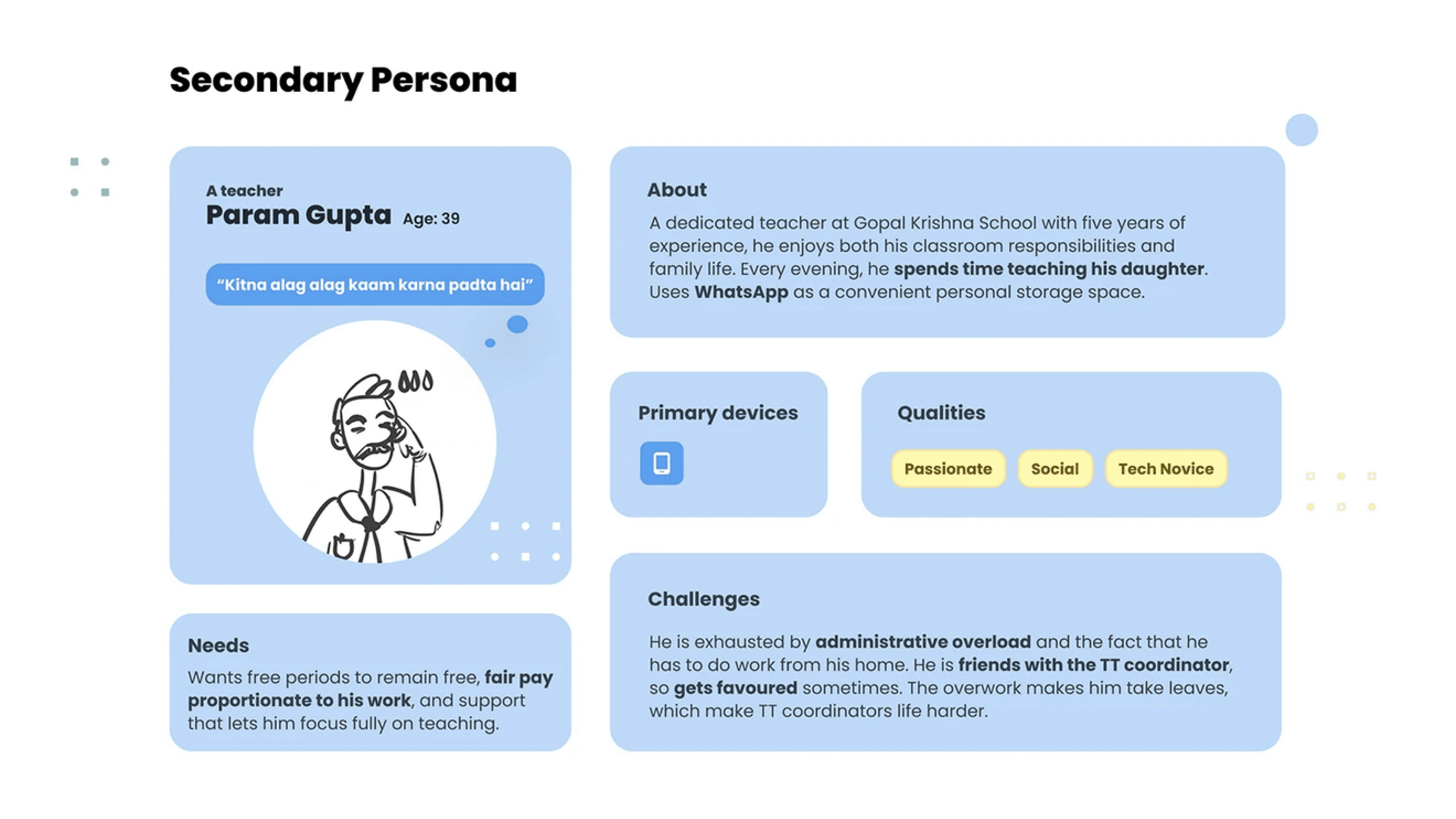
🧑🤝🧑 Personas
We created two key personas from our research to guide the product design process. Here they are:
⛳ Key App Goals
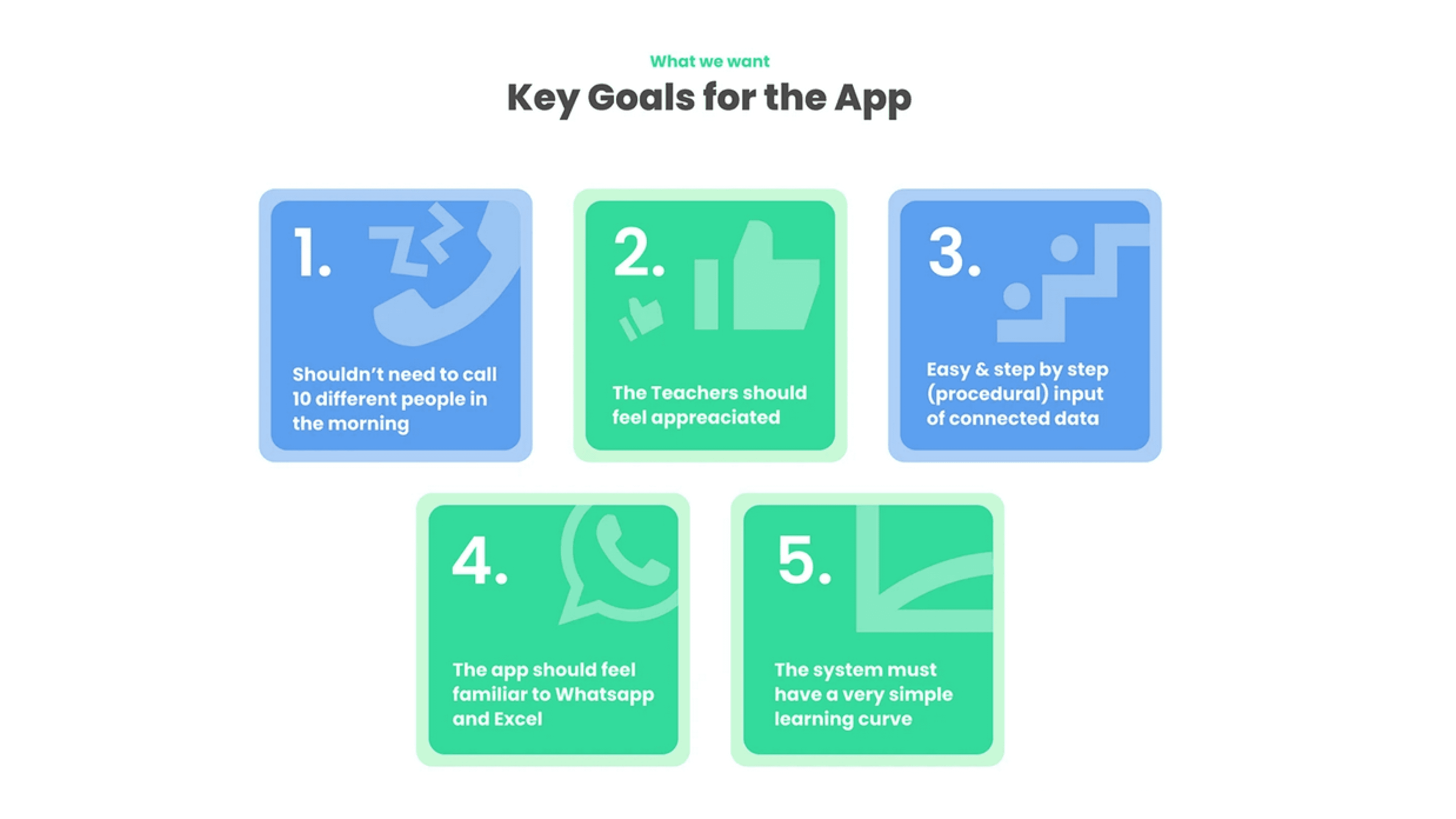
By keeping these key app goals we began our ideation process.
🧠 Ideation
Initial Design Ideas
Initially, we explored ideas like:
Excel or Google Sheets Plugin: Since most schools already manage their timetables on Excel or Sheets, we thought—why not make that process faster with a smart plugin?
WhatsApp-Only Experience: Since WhatsApp is where most official and unofficial updates already happen, we considered building the entire experience there. Leveraging a familiar interface could eliminate the need for users to switch to a new environment.
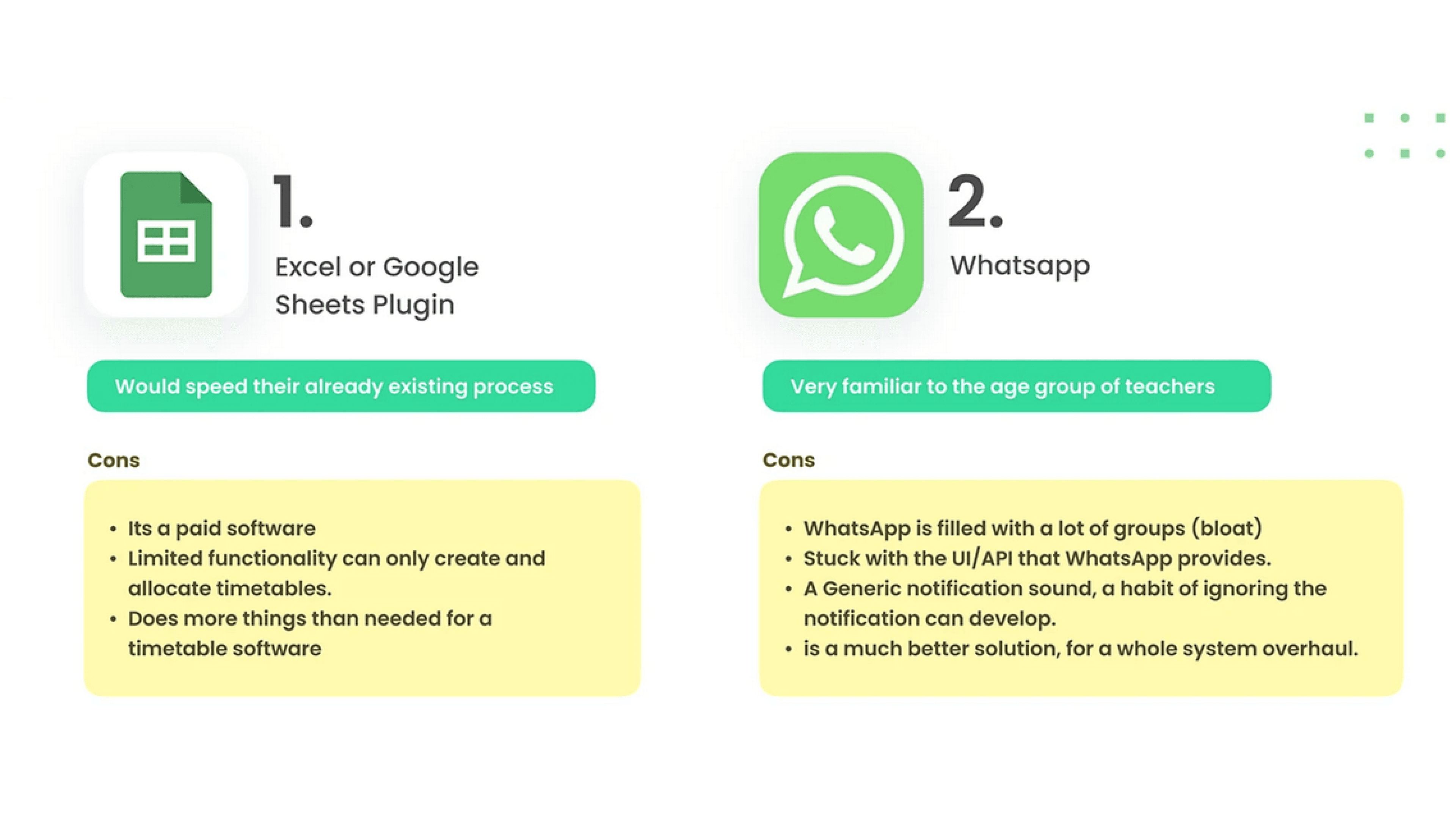
But we had to drop those ideas. While we still focused on familiarity and smooth transitions, factors like feasibility and scalability pushed us toward building something standalone.
That said, those ideas weren’t completely abandoned, they still influenced parts of our final design.
Final Idea
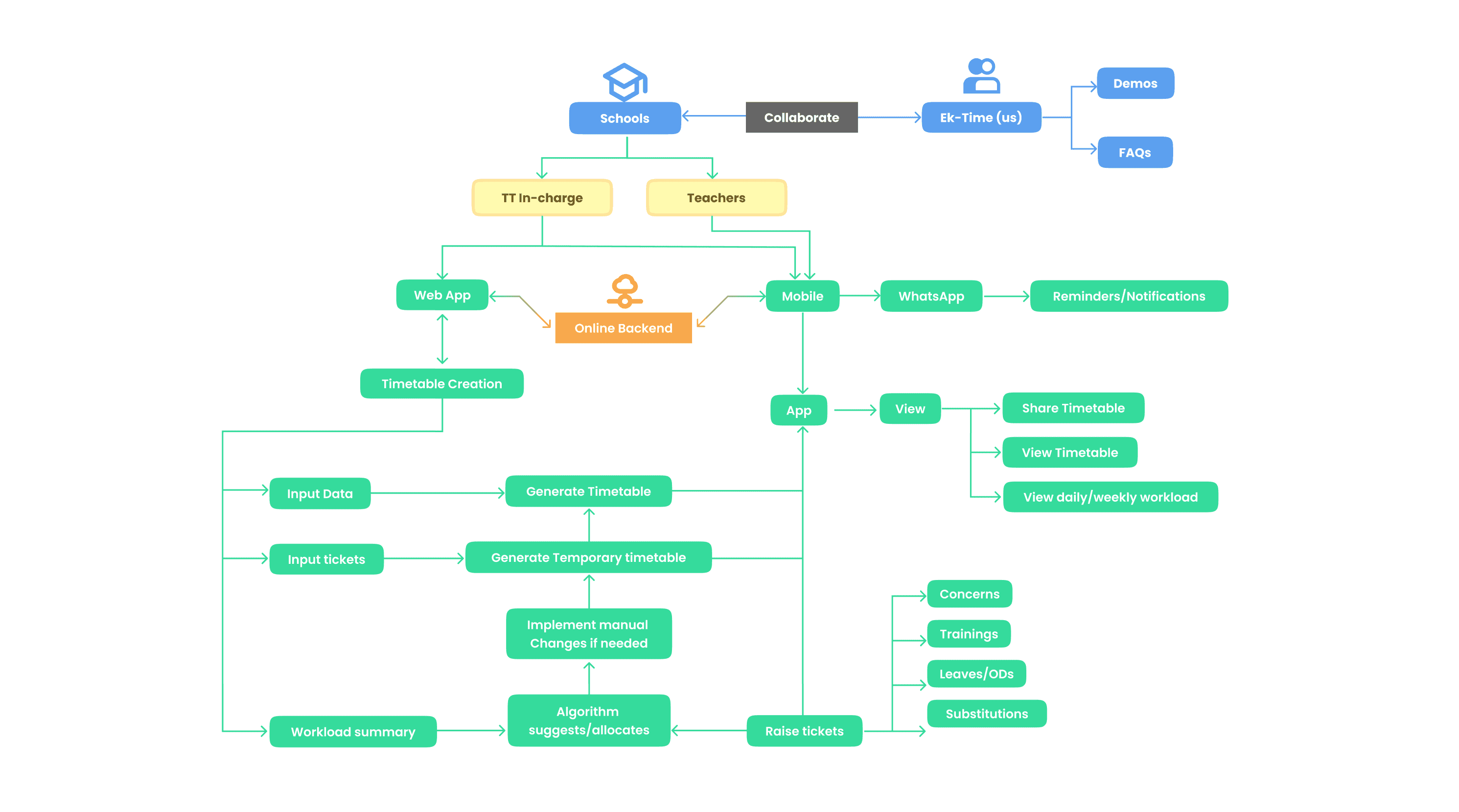
Web App: A platform for the timetable coordinators to create and update the master timetable.
Mobile App: For teachers to view their daily or weekly schedules, manage substitutions, and request leave.
WhatsApp Bot (Secondary): For teachers who don’t use the app—updates and proxy management happen through a chatbot on WhatsApp.
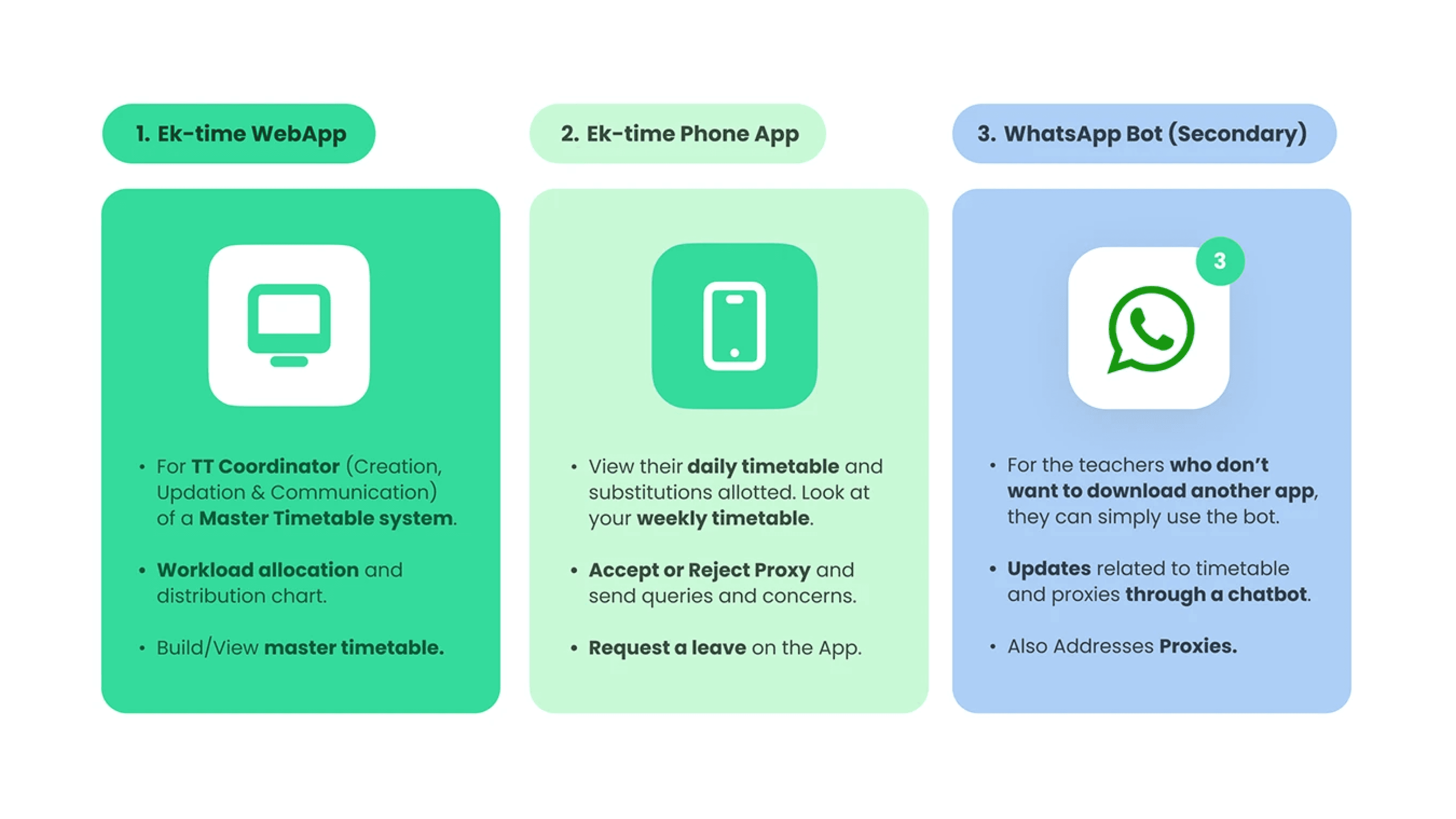
🔧 Conceptual Model
🧶Scenarios
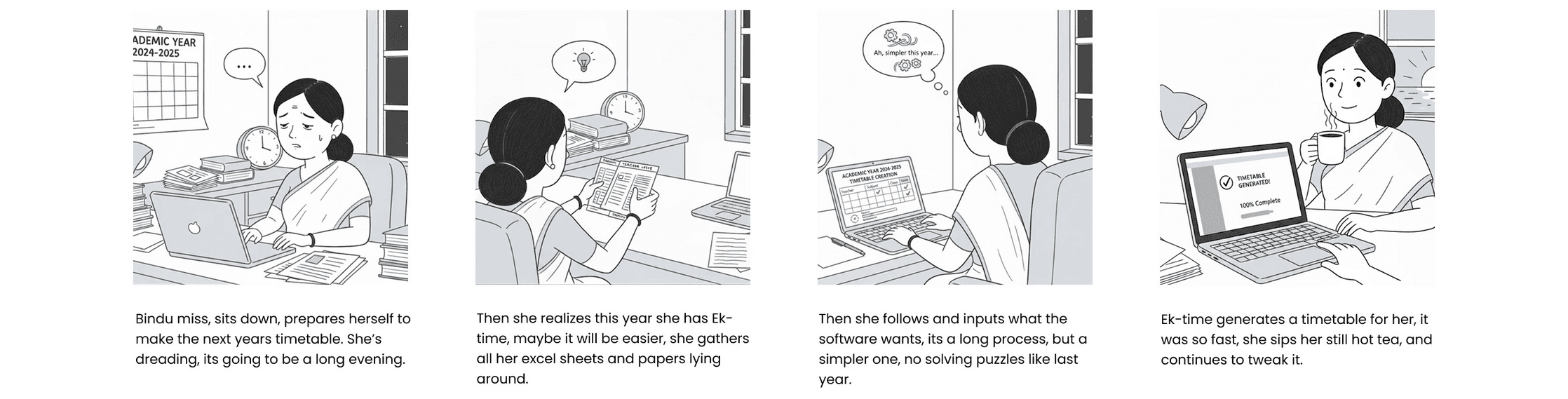
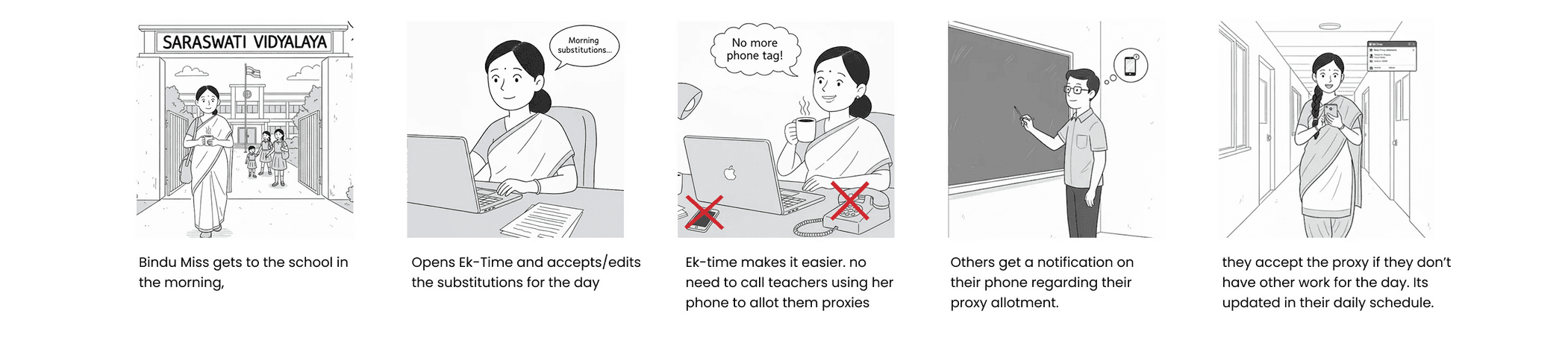
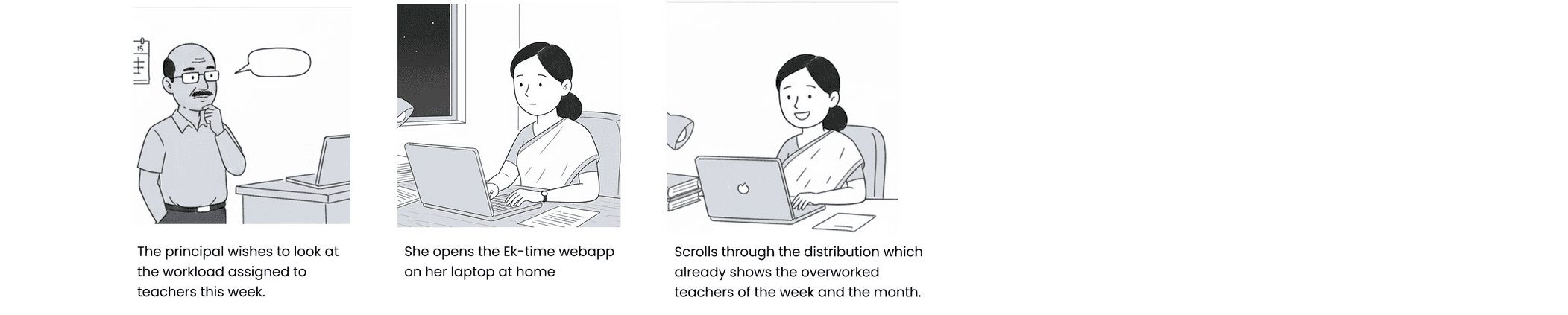
Sketching scenarios lets us step into the user’s situation; exposing friction points, subtle gaps, and edge cases that aren’t always visible in high-level flows. It sharpens empathy and surfaces the system’s weaknesses early, giving us a clearer path to fix them.
Timetable Creation
Proxy Allocation and Acceptance
Workload Distribution
🤩 Presenting…
एक-Time (Ek-Time): Timetable management system
Firstly, I will guide you with the timetable generation flow:
School Configuration: On the first launch, the app gathers key school details like number of periods, duration of each period, and break timings, to set up the base structure.
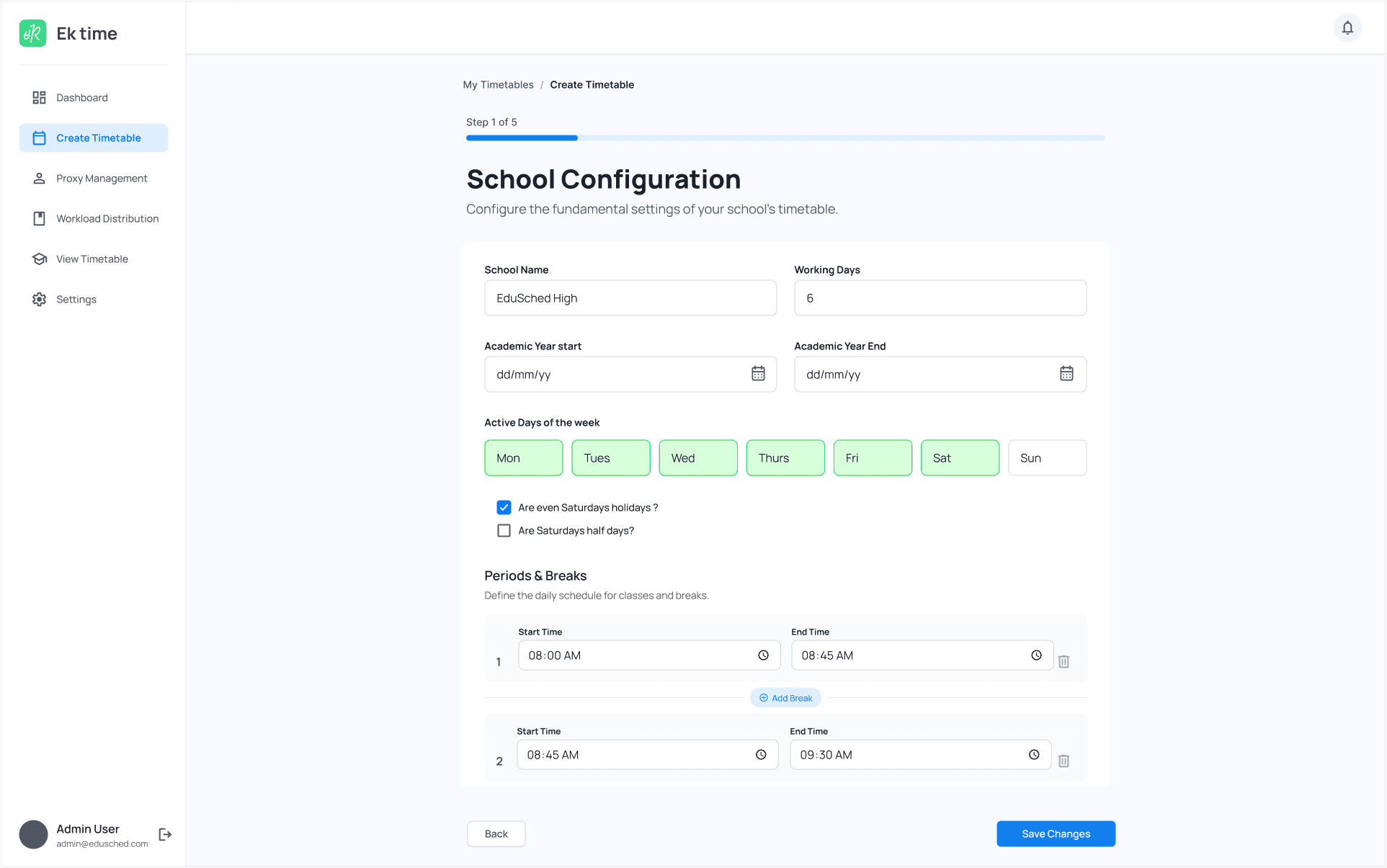
Upload School Data: Users can upload or scan data in a specific format, allowing the algorithm to start processing it.

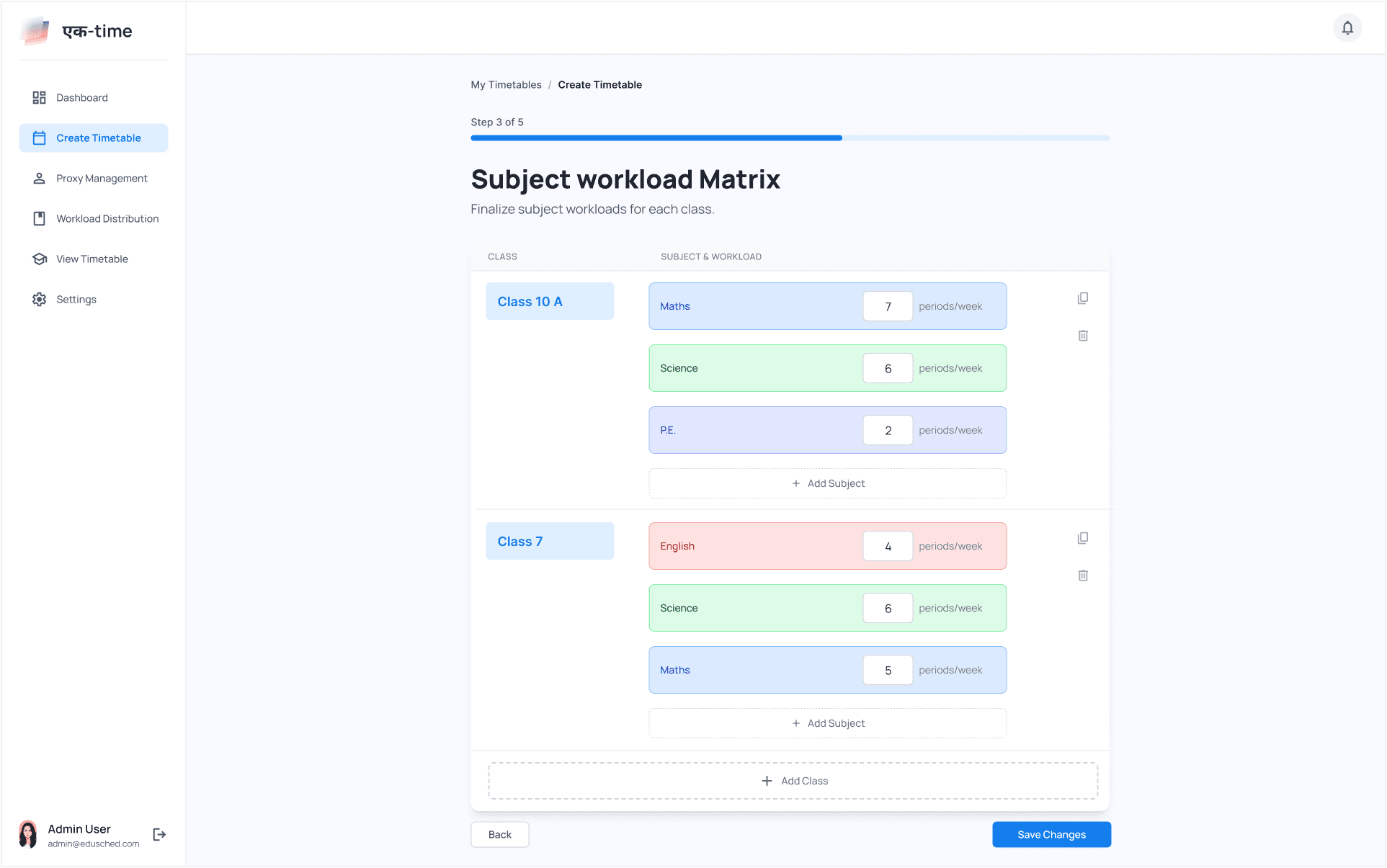
Subjects & Workload: Once data is imported, users can tweak it, adding subjects for each class and setting the number of periods per week.
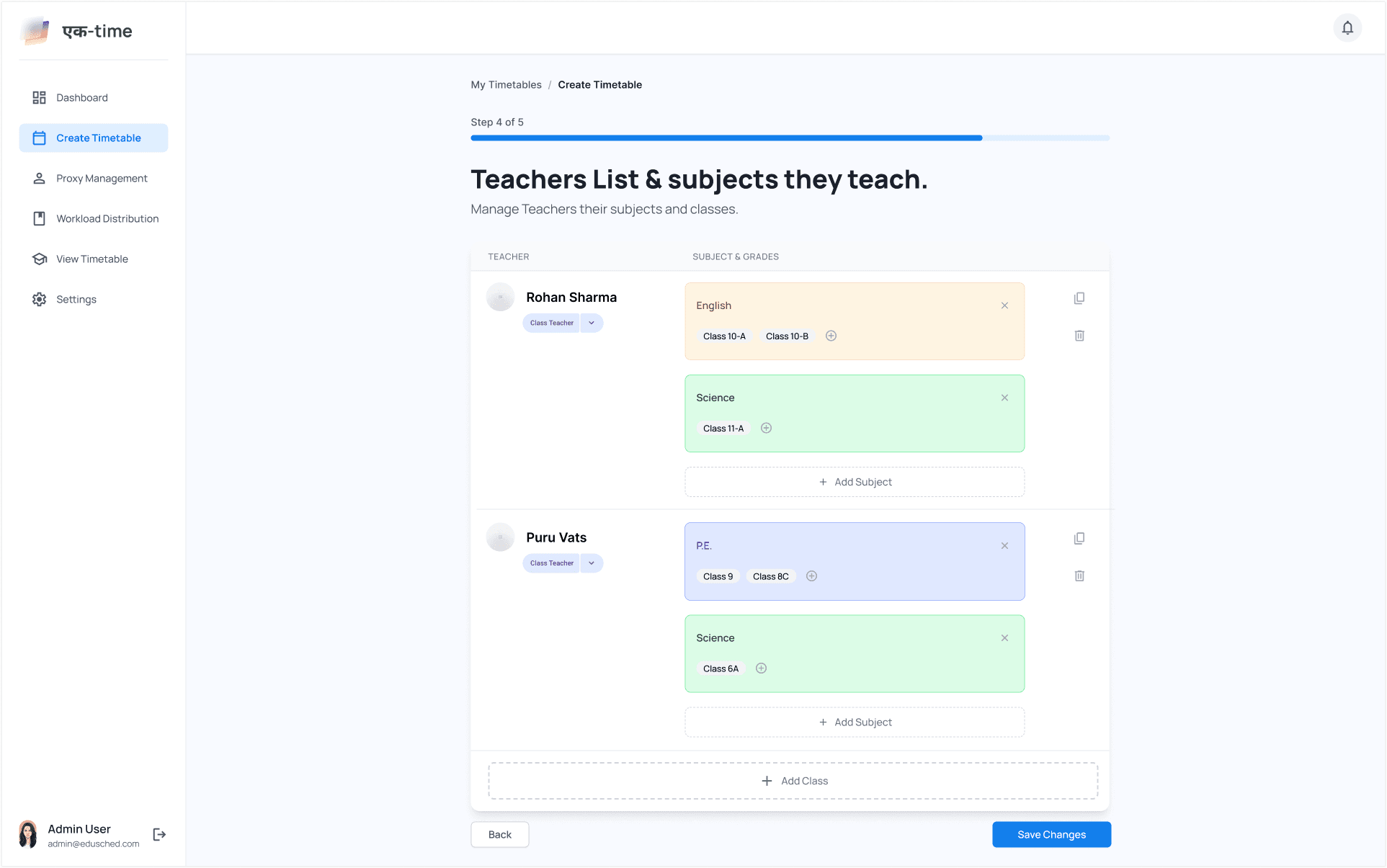
Teachers & Subjects: Here, users assign subjects and classes to teachers and can also mark class teachers.
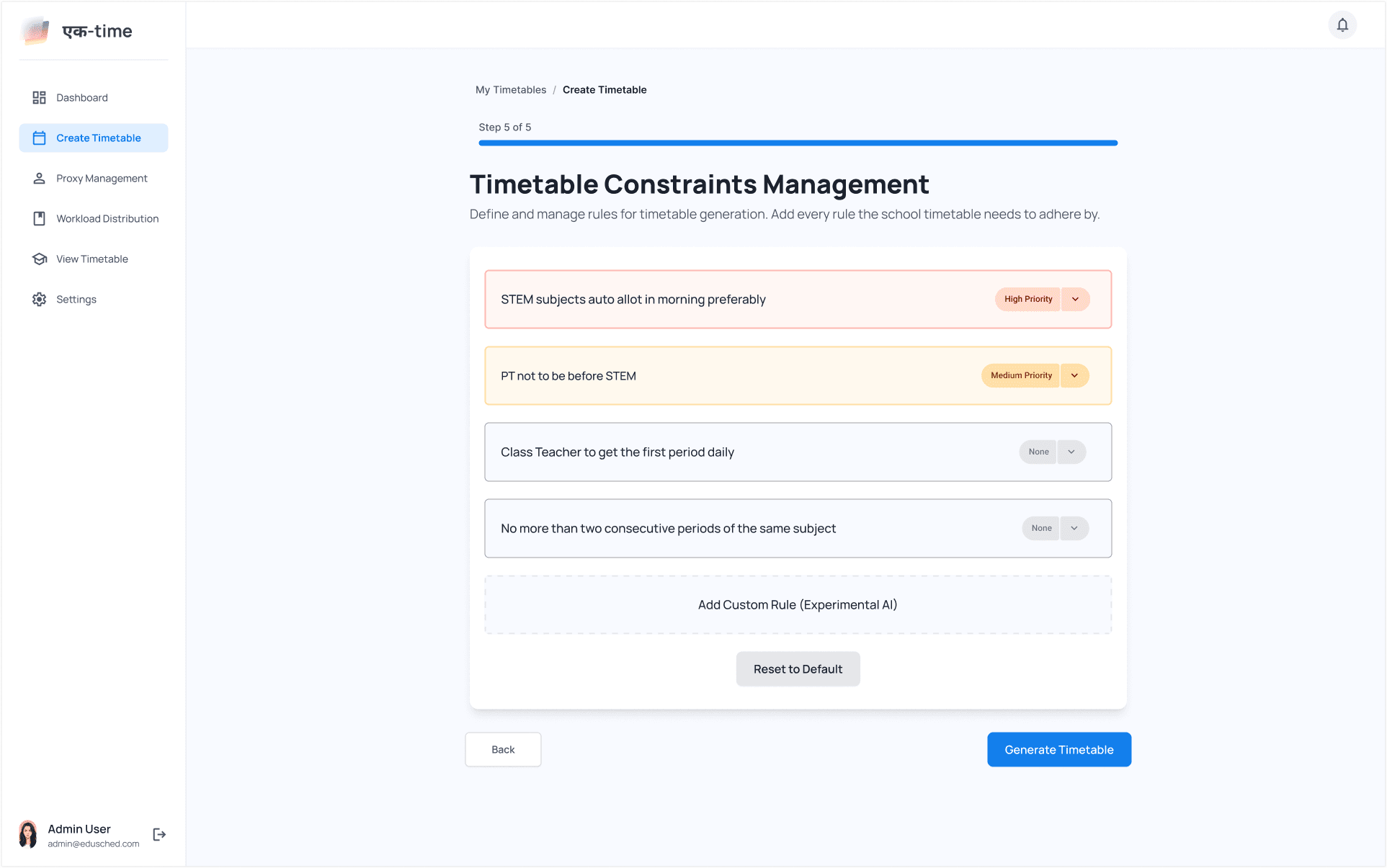
Constraints: Users can define custom rules and constraints for timetable generation.
Generated Master Timetable: Using the provided data and rules, the algorithm generates a fair, balanced master timetable, which coordinators can view and edit.

Lets now see how the Proxy allocation happens:
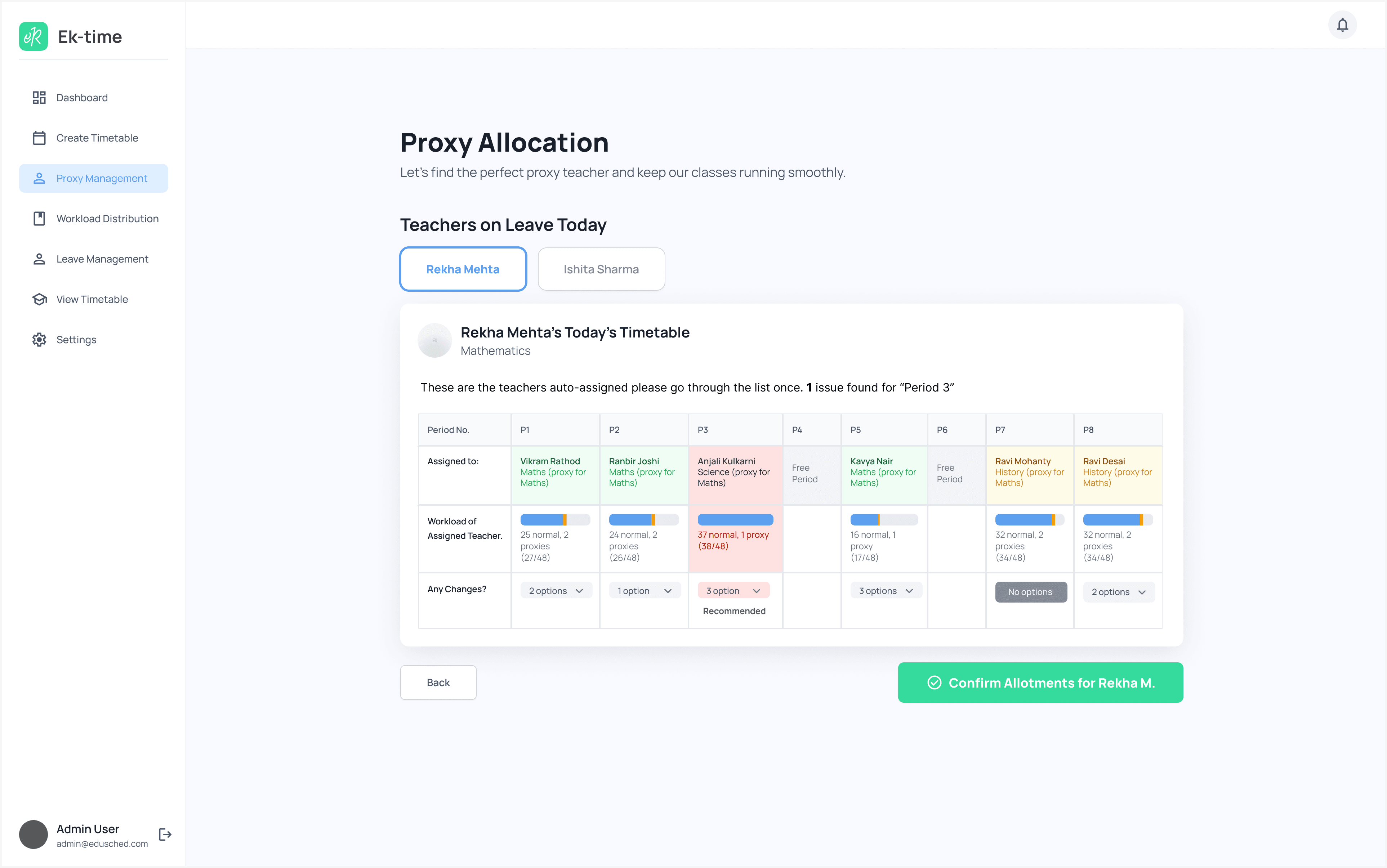
The process starts with the coordinator viewing pending leave requests within the app.
We intentionally haven’t given the coordinator the authority to approve or reject these requests as we believe such decisions should still happen through proper communication with the concerned staff.
Once a leave is approved, the algorithm suggests suitable teachers for substitution based on workload balance. The coordinator can review these suggestions and manually adjust them if needed, we believe human judgment should remain part of the process.
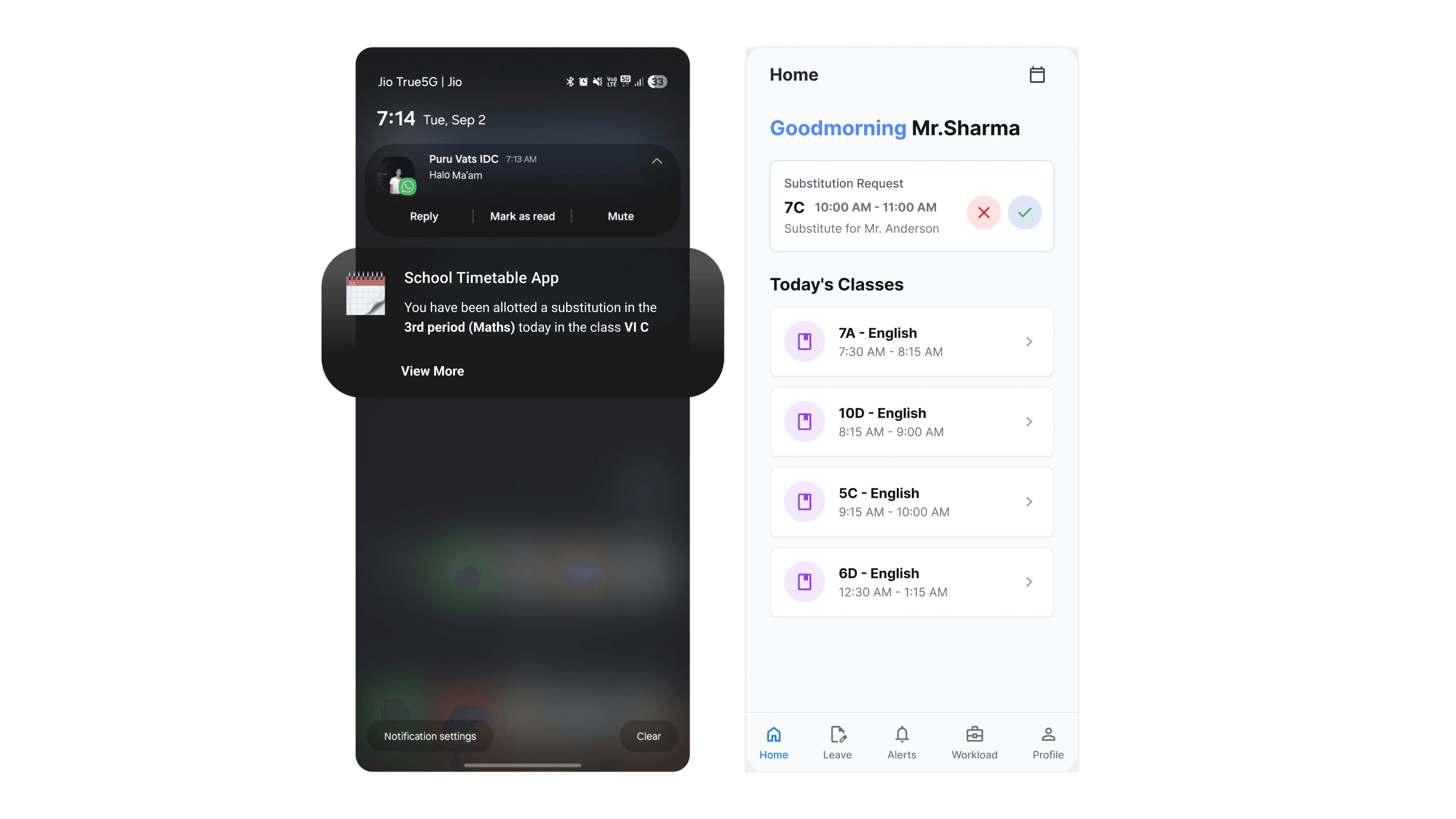
The assigned proxy then appears in the Ek-Time mobile app, where the teacher can choose to accept or reject it.
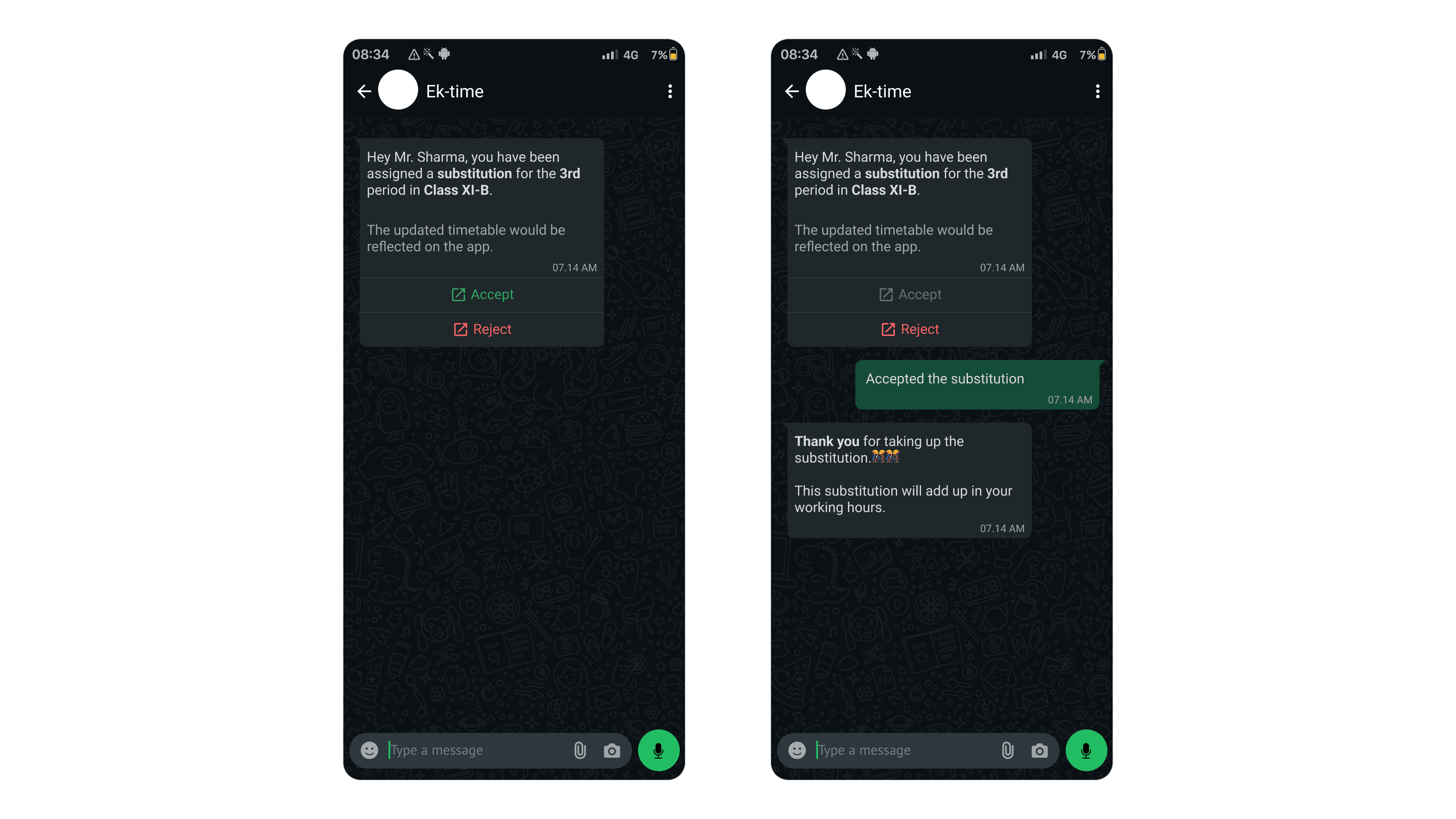
We also designed a WhatsApp bot, that lets teachers accept or reject proxies without needing to open the app.
The app also works as a portal to send and manage leave requests. This design is done as an attempt to reduce the friction which exists in the current system.
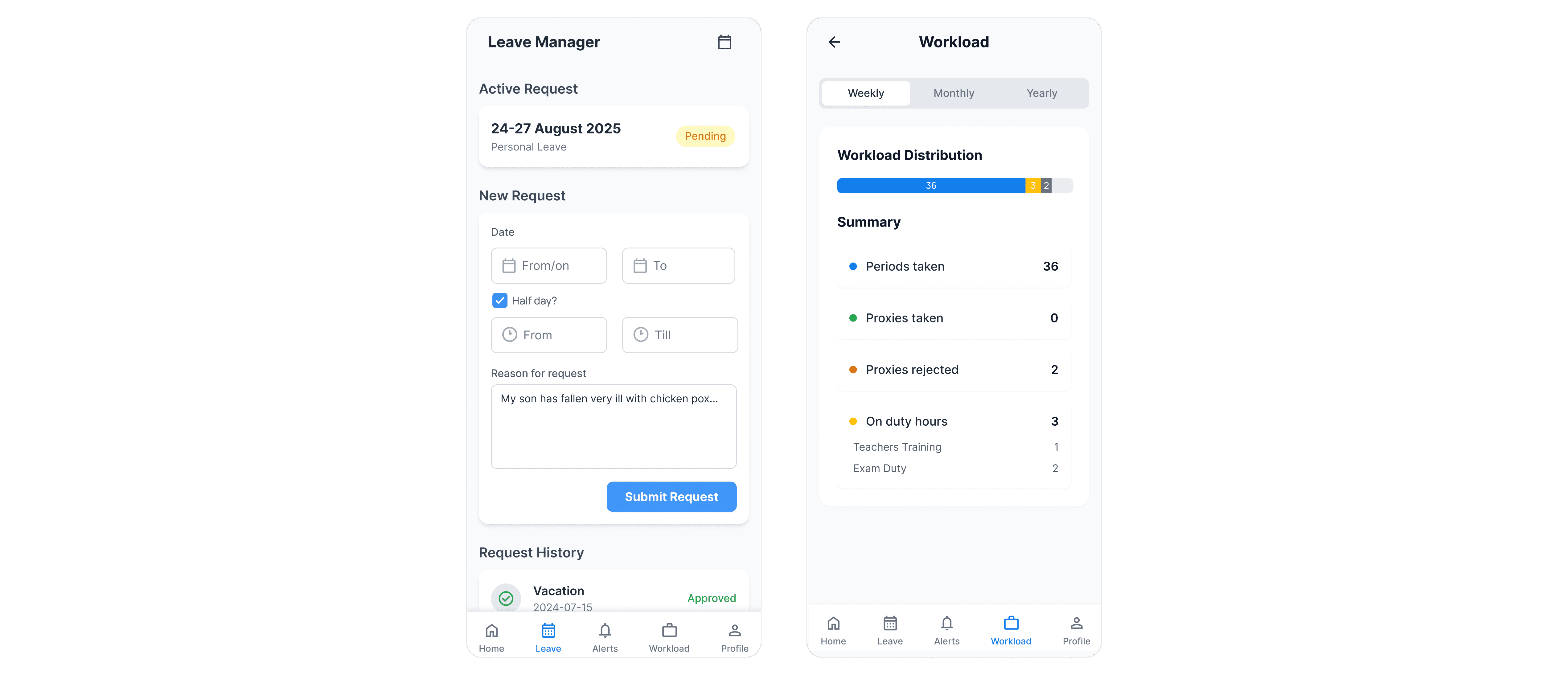
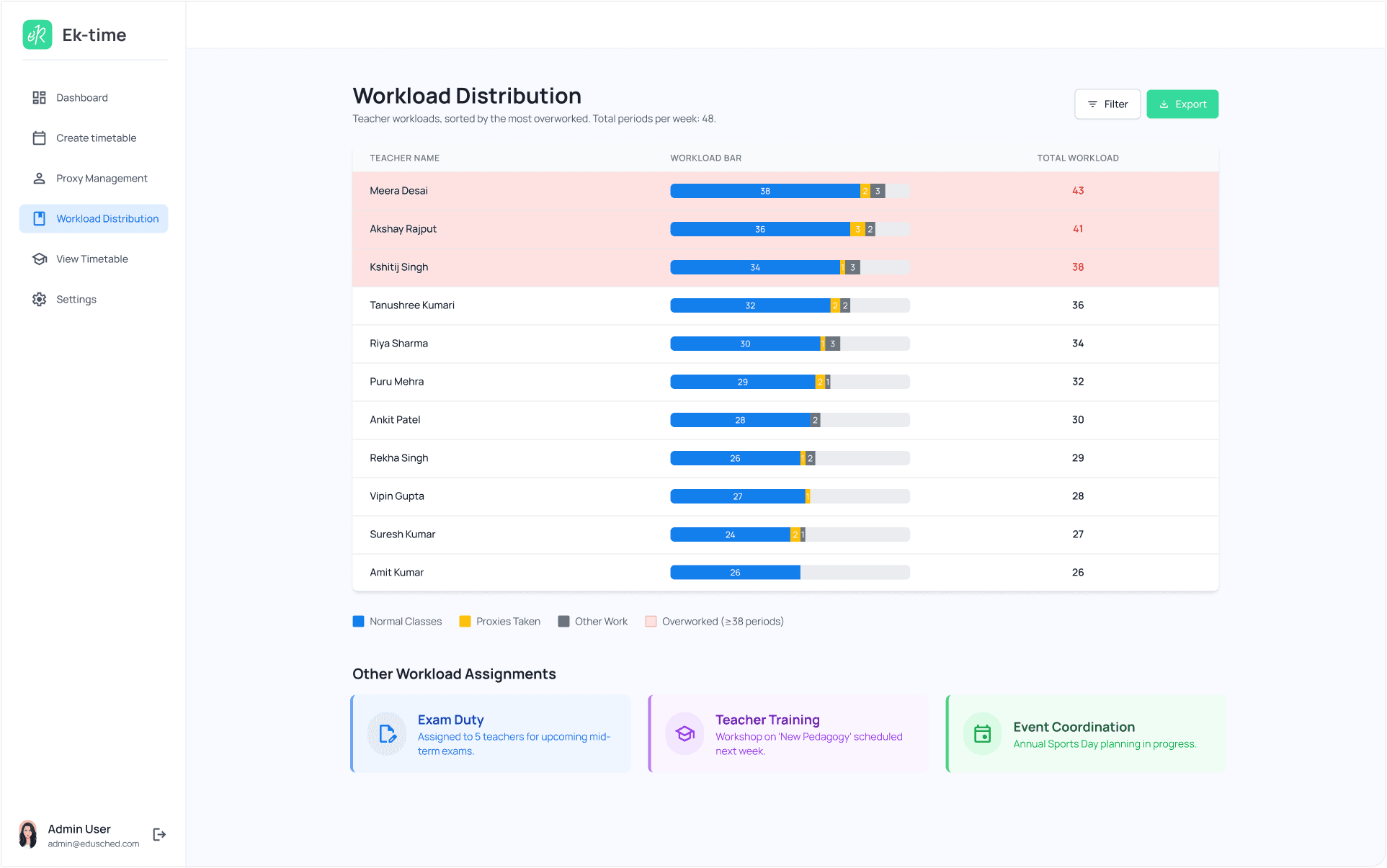
Teachers with fewer previously taken proxy classes are prioritized when a proxy is needed. Rejecting a proxy requires a brief justification to maintain fairness, and repeated rejections are tracked to prevent misuse.
These screens represent the final designs. We tested a working prototype using a think-aloud protocol, asking users to verbalize their thoughts as they navigated the app. This helped surface usability issues early, all of which were resolved before finalization.
✨ Epilogue
This project reinforced the power of contextual inquiry:
Teachers’ hidden workload is as much an emotional challenge as an administrative one.
Observing real behaviors revealed gaps no survey could capture.
Even without polished UI, strong research insights can shape system design meaningfully.
Ek-Time reminded me that UX is not just about screens — it’s about uncovering and solving invisible struggles.
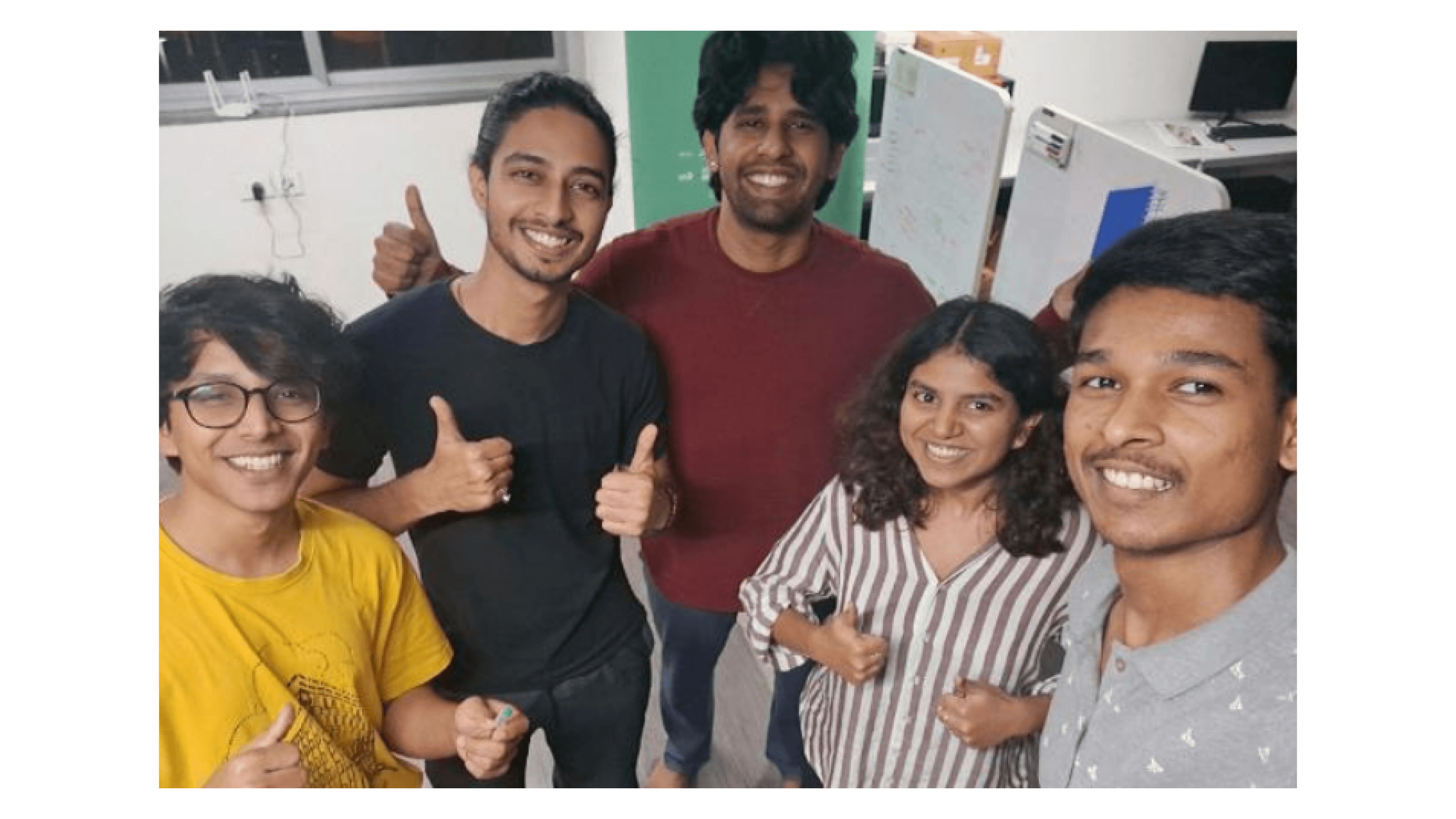
This project was part of a 3 week course by Prof. Anirudha Joshi at IDC, IIT Bombay along with my team; Tanushree Pillai, Puru Vats, Kshitij Ghag, and Vipin Surendran. Visit their profile by clicking on the names to see interesting works.
The content and structure of this presentation were shaped primarily by my teammates, Puru Vats and Kshitij Ghag. Their thorough documentation and final redesign on Behance served as the core reference for this work. Here’s the link to their Behance case study - Link.